
Typography Basics Every Designer Should Master
Typography is one of the most powerful tools in graphic design. It shapes how audiences perceive your message, guides their attention, and strengthens your brand identity. Whether you’re designing a logo, website, poster, or social media graphic, mastering typography is essential for creating clean, professional, and impactful visuals.
In this guide, we cover the fundamental typography basics every designer should know—no matter your skill level.
1. Understanding the Anatomy of Type
Before choosing fonts or adjusting spacing, every designer needs to understand the basic parts of a typeface.
Key Typography Terms
- Baseline – The line on which characters sit
- Ascender – The part of a letter that rises above the x-height (e.g., b, h, k)
- Descender – The portion that falls below the baseline (e.g., g, p, y)
- X-height – The height of lowercase letters
- Serif – Small decorative strokes at the end of letters
- Sans-serif – Typefaces without decorative strokes
Knowing these terms helps you choose the right font and understand how type behaves in different layouts.
2. Choosing the Right Typefaces
Choosing fonts is more than picking something “pretty.” It’s about matching the design’s tone, purpose, and audience.
Main Font Categories
- Serif Fonts (e.g., Times New Roman, Garamond)
Ideal for: editorial designs, luxury brands, formal content - Sans-Serif Fonts (e.g., Helvetica, Futura, Poppins)
Ideal for: modern, clean, minimal designs - Script Fonts (e.g., Brush Script, Pacifico)
Ideal for: invitations, feminine or elegant designs - Display Fonts (e.g., decorative or stylized fonts)
Ideal for: headlines, posters, logos
💡 Pro Tip: Always limit your design to 2–3 typefaces to keep it balanced and clean.
3. Font Pairing: The Art of Balance
Great font pairing creates hierarchy, contrast, and readability.
Best Practices for Font Pairing
- Pair serif + sans-serif for a classic, balanced look
- Avoid pairing fonts that look too similar
- Use one font for headlines and another for body text
- Maintain consistency across all pages or graphics
Tools like FontPair, TypeWolf, and Google Fonts make finding combinations easier.
4. Understanding Hierarchy
Typography hierarchy guides the viewer’s eyes through the design in the correct order.
Ways to Create Hierarchy
- Size: Headlines should be larger than subheadings
- Weight: Use bold, semibold, or light variations
- Color: Use contrast to differentiate sections
- Spacing: More or less spacing creates visual structure
A well-structured hierarchy helps users instantly understand what’s most important.
5. Mastering Spacing: Kerning, Leading & Tracking
Spacing can make or break your design.
Kerning
The spacing between individual letters
Use kerning to fix awkward letter gaps, especially in logos.
Leading
The spacing between lines of text
More leading = more readability. Less leading = tighter, stylish look.
Tracking
The spacing between groups of letters or entire words
Use tracking to control the density of text, especially in headlines.
6. Legibility vs. Readability
These two concepts are often confused, but both are essential.
Legibility:
How easy it is to distinguish individual characters
— influenced by font choice, weight, and spacing.
Readability:
How easy it is to read an entire block of text
— influenced by line length, hierarchy, and layout.
For long-form text, always choose clean, highly readable fonts.
7. Color, Contrast & Backgrounds
Typography isn’t just about the font itself—the background matters too.
Use Contrast Wisely
- Dark text on light background = best readability
- Light text on dark background = bold, striking look
- Avoid colors that blend together
WCAG guidelines recommend at least a 4.5:1 contrast ratio for accessibility.
8. Consistency Is Key
Typography should create visual harmony across all your designs.
Create a Typography System
- Choose a primary and secondary font
- Define heading sizes (H1, H2, H3…)
- Set consistent line spacing
- Use the same font weights and styles
A typography system makes your brand instantly recognizable.
9. Common Typography Mistakes to Avoid
- Using too many fonts
- Ignoring line spacing
- Poor alignment (especially centered text overused)
- Stretching or distorting typefaces
- Using decorative fonts for body text
- Low contrast between text and background
Avoiding these ensures your designs look clean and polished.
Conclusion
Typography is the foundation of strong design. When you understand how to choose fonts, pair them, structure hierarchy, and apply proper spacing, your designs instantly become more professional and impactful. Mastering these basics gives you the confidence to create visuals that communicate clearly and beautifully.
If you’d like, I can also create:
✨ A shorter version for social media
✨ SEO keywords + meta description
✨ A carousel layout for Instagram
✨ A YouTube or reel script based on this topic
Just tell me!
You said:
i need a blog topic for video etiting
ChatGPT said:
Here are some engaging and trending video editing blog topic ideas you can use right away:
🎬 Trending Topics
- “Video Editing Trends to Watch in 2025”
- “How AI Is Changing the Future of Video Editing”
- “The Rise of Short-Form Video: Editing Tips for Reels, TikTok & Shorts”
🛠️ Tools & Software
- “Premiere Pro vs. Final Cut vs. DaVinci Resolve: Which Is Best in 2025?”
- “Top Free Video Editing Tools for Beginners”
- “The Best Plugins Every Video Editor Should Use”
🎨 Skills & Techniques
- “Color Grading Basics Every Video Editor Should Know”
- “How to Create Smooth Transitions Like a Pro”
- “Sound Design 101: How Audio Can Transform Your Videos”
- “How to Edit Cinematic Footage on a Budget”
🚀 For Beginners
- “A Complete Beginner’s Guide to Video Editing”
- “10 Common Video Editing Mistakes and How to Avoid Them”
- “Understanding Frame Rates and Why They Matter”
💼 Career & Freelancing
- “How to Build a Video Editing Portfolio That Gets Clients”
- “How Much Should Video Editors Charge in 2025?”
- “How to Grow as a Freelance Video Editor Online”
🎥 Creative & Niche Ideas
- “Editing Travel Videos: Tips for Capturing Emotion & Story”
- “How to Edit Videos for YouTube Growth in 2025”
- “The Power of Storytelling in Video Editing”
If you want, I can choose the best topic for your niche or write a full blog post for the one you pick!
You said:
i need a blog content for the topic of “How AI Is Changing the Future of Video Editing”
ChatGPT said:
Here is a polished, SEO-friendly, ready-to-publish blog post on “How AI Is Changing the Future of Video Editing”:
How AI Is Changing the Future of Video Editing
Artificial Intelligence has taken almost every creative industry by storm—and video editing is no exception. What once required hours of manual editing, endless rendering, and complex tools can now be done in minutes with AI-powered software. But AI isn’t here to replace editors; it’s here to enhance creativity, speed up workflows, and open new possibilities.
In this blog, we’ll explore exactly how AI is reshaping the future of video editing in 2025 and what it means for creators, filmmakers, and businesses.
1. Faster Editing With Automated Tools
AI drastically cuts editing time by automating repetitive tasks such as:
- Cutting dead space
- Syncing clips
- Detecting highlights
- Removing background noise
- Organizing raw footage
Tools like Adobe Sensei, DaVinci Resolve’s Neural Engine, and Final Cut’s AI features can now analyze your timeline and perform edits that once took hours—within seconds.
Why This Matters:
Creators can now spend more time on storytelling and creativity rather than tedious trimming.
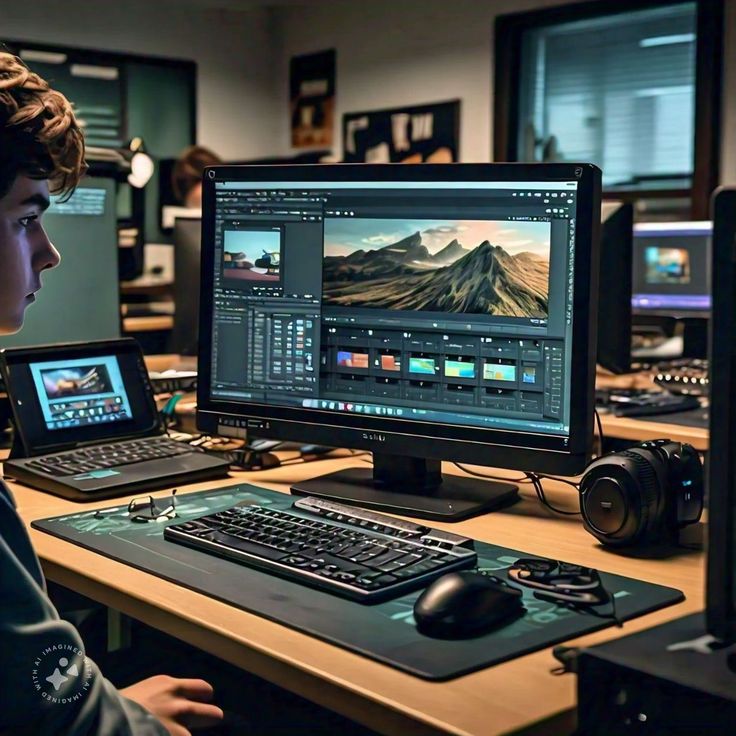
2. Smart Video Enhancements With AI
AI can now enhance footage like a professional colorist or audio engineer:
AI Can Do Things Like:
- Auto color-correction based on lighting conditions
- Sharpening low-quality or blurry footage
- Upscaling videos from 1080p to 4K
- Reducing grain in low-light clips
- Fixing audio issues automatically
These tools are especially useful for beginners who want professional results without advanced technical skills.
3. AI-Generated Transcripts, Subtitles & Captions
Adding captions used to be a time-consuming task.
Now, AI can:
- Generate accurate transcripts
- Auto-create subtitles
- Translate captions into multiple languages
- Add captions directly into videos with stylized templates
This makes content more accessible and engaging—especially on platforms like TikTok, Instagram, and YouTube Shorts, where 80% of viewers watch without sound.
4. Intelligent Scene Detection & Story Assembly
AI can now scan raw footage and automatically:
- Group similar scenes
- Remove unusable clips
- Highlight the best takes
- Suggest a storyline based on audio cues and scene context
This is extremely valuable for:
- YouTubers
- Filmmakers
- Content creators
- Wedding and event videographers
AI becomes the assistant editor you never had.
5. AI-Powered Visual Effects (VFX) for Everyone
Advanced VFX that used to require big budgets and expert artists can now be generated by AI.
Examples:
- Automatic rotoscoping (cutting out subjects)
- Removing unwanted objects
- Generating 3D backgrounds
- Creating slow-motion from normal footage
- Motion tracking done in seconds instead of hours
AI even allows creators to design scenes with simple prompts, making visual effects more accessible than ever.
6. Personalized Video Editing for Marketing & Social Media
Brands now use AI to create personalized video ads at scale.
AI Can Automatically:
- Change text, colors, and languages based on audience
- Edit different versions of the same ad
- Reformat videos for TikTok, Instagram, YouTube & Facebook
- Optimize scenes for higher engagement
This means marketers can produce dozens of video variations in minutes—not weeks.
7. Real-Time Video Editing With AI
Real-time editing is becoming a game-changer, especially in livestreaming and content creation.
AI Can Edit in Real Time:
- Remove background without a green screen
- Auto-crop the video to multiple aspect ratios
- Fix lighting and color instantly
- Add on-screen captions live
Creators can now produce polished content without post-production.
8. Will AI Replace Video Editors?
The simple answer: No—AI will replace tasks, not creators.
While AI handles the repetitive workload, editors still control:
- Storytelling
- Creative direction
- Emotions and pacing
- Brand identity
- Artistic choices
AI is a tool—not a threat.
It gives editors more time to focus on creativity instead of manual labor.
9. The Future: What AI Will Bring Next
In the next few years, we can expect:
- Fully automated rough cuts from raw footage
- AI-generated B-roll and backgrounds
- Voice cloning for seamless narration
- Text-to-video storytelling for script-based editing
- Smarter collaboration tools for teams
Video creation will become faster, smarter, and more accessible for everyone.
Final Thoughts
AI is revolutionizing video editing by making it easier, faster, and more creative than ever before. From automated editing tools to powerful VFX and personalized content, AI empowers beginners and professionals alike.
The future of video editing isn’t about replacing editors—it’s about giving them superpowers.
good