

Introduction
When it comes to professional video editing, two software dominate the industry—Adobe Premiere Pro and Final Cut Pro. Both are powerful, feature-rich, and trusted by filmmakers, YouTubers, content creators, and video editors worldwide. But the question remains: Which one is better for you? In this blog, we’ll break down the key differences in Premiere Pro vs FCP, covering performance, pricing, workflow, and usability to help you make the right choice
1. Platform Compatibility

Premiere Pro
✔ Works on Windows & macOS
✔ Ideal for cross-platform users
Final Cut Pro
✔ macOS only
✔ Optimized exclusively for Apple devices
Winner:
If you’re on Windows → Premiere Pro is your only choice.
If you’re on Mac → Both work, but Final Cut Pro has an Apple advantage.
2. Performance and Speed of Premiere Pro vs Fcp
Premiere Pro
- Requires good hardware to run smoothly
- Can sometimes lag with heavy projects
- Great GPU acceleration on both Windows & Mac
Final Cut Pro
- Extremely fast and smooth (thanks to Apple Silicon optimization)
- Renders and exports videos up to 2x faster
- Handles large 4K/8K timelines more efficiently
Winner: Final Cut Pro, especially on newer MacBooks with M1/M2/M3 chips.
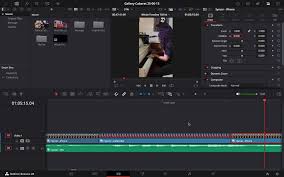
3. User Interface & Ease of Use

Premiere Pro
- Traditional timeline editing
- Great for advanced control
- More customizable UI
- Slightly steeper learning curve
Final Cut Pro
- Features the famous Magnetic Timeline
- Easier for beginners
- Faster for drag-and-drop editing
Winner:
Beginners → Final Cut Pro
Advanced users → Premiere Pro
4. Premiere Pro vs Fcp Features and Editing Tools
Premiere Pro
- Excellent for professional, multi-layer editing
- Superior audio tools via Adobe Audition
- Better integration with After Effects, Photoshop, Media Encoder
- Better for large teams and collaborative workflows
Final Cut Pro
- Powerful for solo creators
- Great templates, effects, and titles
- Smooth motion graphics support
- Integrated Motion & Compressor (sold separately)
Winner:
For studios/teams → Premiere Pro
For individual creators → Final Cut Pro
5. Plugins & Integrations
Premiere Pro
- Massive library of third-party plugins
- Seamless integration with entire Adobe Creative Cloud
- Better pipeline for VFX workflows
Final Cut Pro
- Plenty of plugins available
- Works well with Motion for animations
- Less integrated compared to Adobe’s ecosystem
Winner: Premiere Pro
6. Pricing
Premiere Pro (Subscription)
- ₹1,600–₹2,300/month (varies by region)
- Also available in Adobe Creative Cloud bundle
- Expensive in the long term
Final Cut Pro (One-time Purchase)
- One-time price of around ₹24,900
- Lifetime license with free updates
Winner:
Long-term budget → Final Cut Pro
Monthly subscription users → Premiere Pro
7. Which Type of Editor Should Choose Premiere Pro vs Fcp
Premiere Pro is best for:
- Professional editors
- Teams/agencies
- Filmmaking & commercial projects
- Users who want deep control
Final Cut Pro is best for:
- Solo creators
- YouTubers & vloggers
- Wedding & event editors
- Beginners who want high speed and simplicity
Final Verdict: Which One Is Better?
Both are excellent editors, but the best one depends on your needs:
- Choose Premiere Pro if you want an industry-standard editor, use Windows, or work with advanced effects and team projects.
- Choose Final Cut Pro if you want high speed, easy editing, and a one-time purchase—especially if you use a Mac.
In short:
👉 Professionals choose Premiere Pro
👉 Creators choose Final Cut Pro
nice blog